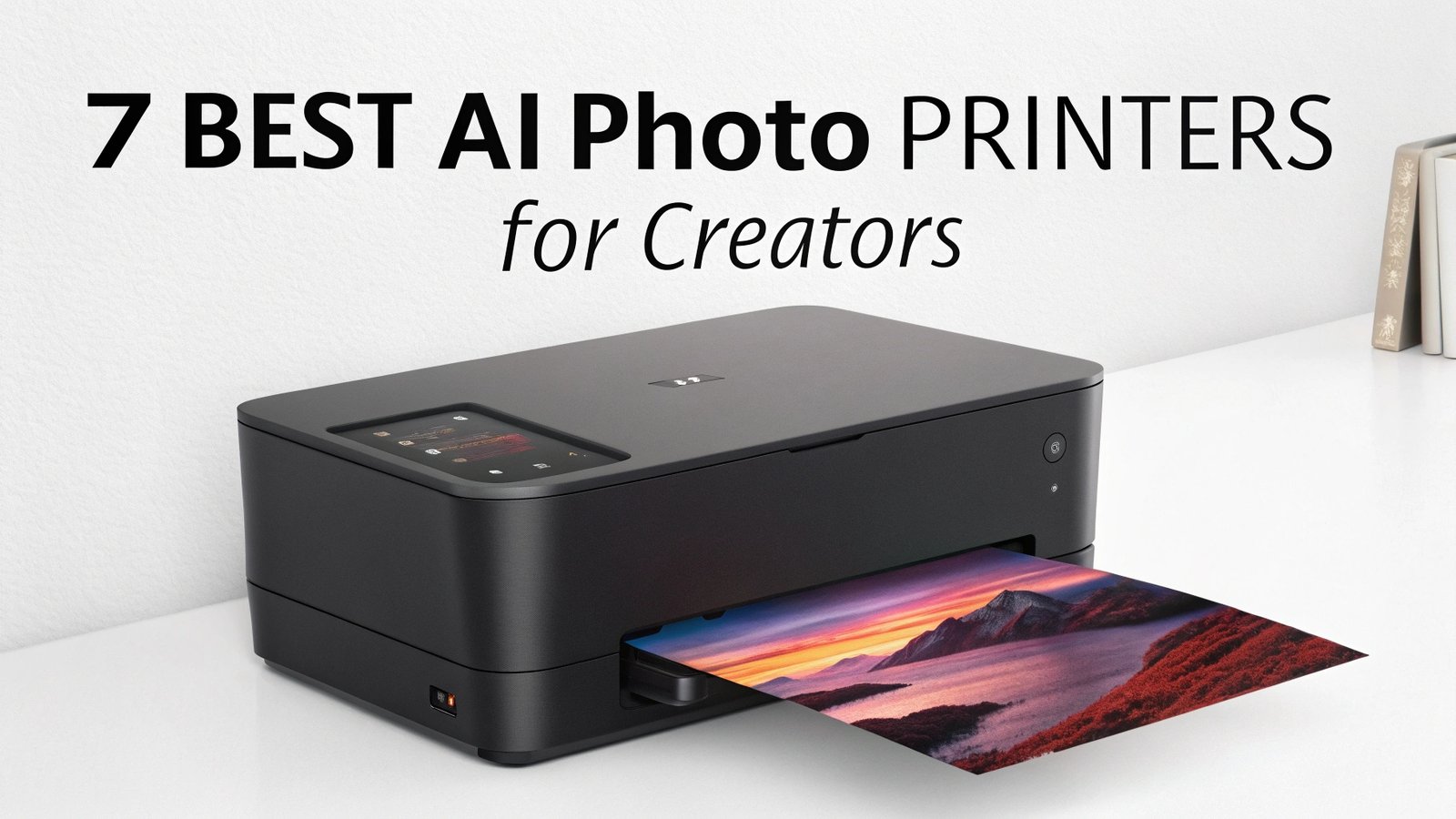
7 Best AI Photo Printers for Creators: Stunning Physical Prints
The world of photo printing has changed dramatically in recent years. AI technology now powers many modern photo printers, making them smarter and more efficient than ever before.
These innovative machines can automatically enhance colors, adjust contrast, and optimize image quality without manual intervention.
Whether you create content for social media, run a photography business, or simply want to bring your digital memories to life, the right printer will save you time and deliver professional results.

Key Takeaways:
- Professional Quality Made Simple: AI photo printers eliminate the complex manual adjustments traditionally required for high-quality prints. Smart algorithms automatically calibrate colors, adjust brightness, and optimize contrast based on image content analysis.
- Cost-Effective Long-Term Investment: Many AI-enhanced printers feature EcoTank technology or high-yield cartridge systems that significantly reduce per-print costs. This makes them perfect for creators who print frequently without breaking the budget.
- Versatile Format Support: The best AI photo printers handle everything from standard 4×6 prints to large 13-inch wide format outputs. They support various paper types including glossy, matte, canvas, and specialty media for different creative projects.
- Wireless Connectivity and Mobile Integration: Modern AI printers connect seamlessly with smartphones, tablets, and cloud services. Many feature dedicated mobile apps with AI-powered editing tools that enhance images before printing.
- Time-Saving Automation Features: Advanced models include automatic paper detection, ink level monitoring, and print queue management. Some even offer AI-powered batch processing that optimizes multiple images simultaneously.
- Professional Color Accuracy: These printers use multiple ink cartridges (often 8+ colors) combined with AI color management systems to achieve professional-grade color reproduction that rivals commercial printing services.
Liene PixCut S1 Creator Mega Pack: AI-Powered Sticker Making Revolution

The Liene PixCut S1 Creator Mega Pack represents a breakthrough in AI-powered printing technology. This innovative device combines traditional photo printing with intelligent auto-cutting features that create perfect stickers every time. The built-in AI analyzes your images and automatically determines the best cutting path.
This printer uses thermal dye-sublimation technology to produce vibrant, long-lasting prints at 300 DPI resolution. The AI system recognizes different image types and automatically adjusts color profiles for optimal results. Whether you print portraits, landscapes, or graphics, the smart algorithms ensure consistent quality.
The precise AI auto-cutting feature sets this printer apart from competitors. Machine learning algorithms detect edges, shapes, and important image elements to create clean, professional cuts. This eliminates the tedious manual cutting process that traditionally follows sticker printing.
For content creators who make custom merchandise, this printer offers incredible versatility. The AI can handle complex shapes, multiple stickers per sheet, and various paper sizes. The Creator Mega Pack includes everything needed to start a small sticker business or enhance personal creative projects.
Pros:
- Revolutionary AI auto-cutting technology
- High-quality 300 DPI thermal dye-sublimation printing
- Perfect for creating custom stickers and labels
- Comprehensive starter pack included
- Intelligent edge detection and shape recognition
Cons:
- Limited to sticker and label printing only
- Higher initial investment compared to basic photo printers
- Learning curve for maximizing AI features
- Proprietary paper requirements
Liene M100 Portable Photo Printer: Smart Wireless Printing Solution

The Liene M100 brings professional-quality photo printing to portable devices through advanced AI enhancement features. This compact printer produces stunning 4×6 inch prints using thermal dye sublimation technology that creates waterproof, scratch-resistant, and fade-resistant photographs.
Smart wireless connectivity allows seamless printing from smartphones and tablets through the dedicated mobile app. The AI-powered app analyzes photos before printing and automatically applies color correction, contrast adjustment, and sharpness enhancement. This ensures every print looks better than the original digital image.
The printer includes 100 sheets of photo paper and 3 cartridges in the bundle, providing excellent value for creators who print regularly. Each cartridge produces approximately 100 prints, making the cost per print very reasonable compared to professional printing services.
Color accuracy is exceptional thanks to the 4-pass printing process combined with AI color management. The system analyzes each image’s color distribution and adjusts the printing process to achieve optimal color reproduction. This technology particularly excels with skin tones and natural landscapes.
For social media creators and influencers, this printer offers the perfect solution for creating physical copies of digital content. The compact size makes it ideal for events, parties, and on-location printing needs.
Pros:
- Excellent portable design with wireless connectivity
- AI-enhanced color correction and image optimization
- Waterproof and fade-resistant prints
- Great value bundle with papers and cartridges included
- Fast printing speed for on-demand needs
Cons:
- Limited to 4×6 inch print size only
- Requires proprietary paper and cartridges
- Battery life could be longer for extended use
- No direct cloud service integration
Canon PIXMA PRO-200S: Professional AI-Enhanced Wide Format Printing


The Canon PIXMA PRO-200S represents the pinnacle of professional photo printing technology for serious creators. This 13-inch wide format printer combines 8-color dye-based ink system with intelligent printing algorithms that automatically optimize every image for maximum impact.
Advanced AI color management analyzes each photograph and automatically adjusts color profiles based on content type. The system recognizes portraits, landscapes, graphics, and mixed content, then applies the most appropriate color enhancement settings. This eliminates the need for manual color calibration in most situations.
The 3.0-inch color LCD monitor provides intuitive control over printing settings and allows preview of color adjustments before printing. Combined with AI recommendations, users can make informed decisions about paper selection, print quality, and color optimization.
Professional creators will appreciate the wide color gamut achieved through the 8-ink system. Colors appear more vibrant and accurate compared to standard 4-color printers. The AI algorithms work with this expanded color range to produce prints that often exceed the quality of commercial printing services.
Borderless printing capabilities up to 13×19 inches make this printer perfect for portfolio work, gallery displays, and client presentations. The AI system automatically handles edge detection and print positioning for perfect borderless results every time.
Pros:
- Professional 8-color ink system with AI optimization
- Large 13-inch wide format printing capability
- Intelligent color management with content recognition
- High-quality LCD monitor for easy operation
- Excellent for portfolio and professional presentation work
Cons:
- High initial purchase price
- Expensive ink cartridge replacements
- Large footprint requires dedicated workspace
- Dye-based inks less archival than pigment inks
Epson EcoTank Photo ET-8550: Smart Supertank Technology

The Epson EcoTank Photo ET-8550 revolutionizes photo printing economics through innovative Supertank technology combined with AI-powered printing optimization. This all-in-one printer eliminates expensive cartridges by using refillable ink tanks that dramatically reduce printing costs.
Six-color Claria ET ink system works with AI algorithms to produce exceptional photo quality across various paper types. The intelligent system automatically detects paper type and adjusts ink density, color mixing, and print speed for optimal results. This technology particularly excels with different paper surfaces and weights.
The 4.3-inch color touchscreen interface integrates seamlessly with AI recommendations for print settings. Users receive intelligent suggestions for paper selection, quality settings, and color adjustments based on image analysis. This guidance helps achieve professional results without extensive printing knowledge.
Wireless printing capabilities extend to cloud services, mobile devices, and direct camera connections. The AI-enhanced mobile app provides automatic image enhancement before printing, including red-eye removal, color correction, and sharpness adjustment.
For high-volume creators, the ultra-low cost per print makes this printer incredibly economical. The included ink bottles can produce thousands of prints, making it perfect for photographers, artists, and content creators who print regularly.
Pros:
- Revolutionary low-cost printing with Supertank technology
- Six-color ink system with AI optimization
- Large touchscreen interface with intelligent recommendations
- Excellent wireless connectivity and mobile integration
- Perfect for high-volume printing needs
Cons:
- Large physical footprint and weight
- Initial ink filling process can be messy
- Slower printing speed compared to cartridge-based printers
- Complex maintenance requirements for optimal performance
KODAK Dock Plus 4PASS: Instant AI-Enhanced Photo Printing

The KODAK Dock Plus 4PASS brings instant gratification to photo printing through advanced AI enhancement technology. This compact printer uses 4PASS printing technology combined with intelligent image analysis to produce vibrant, long-lasting 4×6 inch photographs in under 90 seconds.
Smart image enhancement happens automatically through the companion mobile app. AI algorithms analyze each photo and apply optimal color correction, contrast adjustment, and sharpness enhancement without user intervention. The system particularly excels at improving smartphone photos and social media images.
The thermal printing process creates waterproof, smudge-proof, and fade-resistant prints that last for decades. Combined with AI color optimization, these prints often look better than the original digital images. The technology works especially well for outdoor and portrait photography.
Simple operation makes this printer perfect for creators who want professional results without technical complexity. The AI handles all the difficult decisions about color balance, exposure correction, and print optimization. Users simply select photos and print with confidence.
Portable design allows printing anywhere with power access. The compact footprint fits easily on desks, counters, or temporary workstations. For event photographers and social media creators, this mobility offers significant advantages.
Pros:
- Fast 90-second printing with AI enhancement
- Waterproof and fade-resistant print quality
- Simple operation with automatic optimization
- Compact and portable design
- Great for instant social media and event printing
Cons:
- Limited to 4×6 inch print size only
- Requires proprietary paper cartridges
- Higher per-print cost than tank-based systems
- No advanced manual control options
Canon Ivy 2 Mini Photo Printer: Pocket-Sized AI Intelligence

The Canon Ivy 2 Mini Photo Printer proves that AI-powered printing technology can fit in your pocket. This ultra-compact printer combines intelligent image processing with ZINK Zero Ink technology to produce stunning 2×3 inch prints with sticky backs for immediate use.
Smart photo enhancement happens through the Canon Mini Print app, which uses AI algorithms to analyze and improve photos before printing. The system automatically adjusts brightness, contrast, and color saturation while removing common smartphone photo issues like blur and poor lighting.
Creative AI features include automatic background removal, artistic filters, and intelligent cropping suggestions. The app can recognize faces, objects, and scenes, then recommend the best creative treatments for each image type. This makes it perfect for social media creators and scrapbook enthusiasts.
The sticky-back prints eliminate the need for additional adhesives while maintaining high print quality. AI optimization ensures colors remain vibrant and sharp even on the adhesive-backed paper. These prints work perfectly for decorating laptops, journals, walls, and gifts.
Bluetooth connectivity provides seamless wireless printing from smartphones and tablets. The compact size makes it perfect for travel, events, and impromptu printing needs. Battery life supports multiple printing sessions without recharging.
Pros:
- Ultra-portable design with wireless connectivity
- AI-powered photo enhancement and creative features
- Convenient sticky-back prints for immediate use
- No ink cartridges required with ZINK technology
- Perfect for travel and social media printing
Cons:
- Very small 2×3 inch print size limitation
- Limited color depth compared to larger printers
- Battery requires frequent charging with heavy use
- Higher per-print cost than traditional printers
HP Sprocket Studio Plus: Professional AI Photo Processing

The HP Sprocket Studio Plus delivers professional-quality 4×6 inch prints through advanced AI-powered dye sublimation technology. This wireless printer combines intelligent image analysis with premium printing hardware to produce vibrant, long-lasting photographs that rival professional lab results.
Smart photo optimization works automatically through the HP Smart app, which uses machine learning algorithms to enhance every image before printing. The AI system recognizes different photo types and applies appropriate corrections for portraits, landscapes, action shots, and artistic images.
Premium dye sublimation printing creates waterproof, tear-resistant prints that maintain their quality for decades. The AI color management system works with this advanced printing technology to achieve exceptional color accuracy and detail reproduction.
Creative editing features include AI-powered background replacement, automatic object removal, and intelligent artistic filters. The system can identify photo elements and suggest creative enhancements that improve the overall visual impact of printed images.
Wireless connectivity supports printing from smartphones, tablets, and computers through Wi-Fi. The compact design fits easily in home offices, studios, and creative workspaces while delivering professional-grade results.
Pros:
- Professional dye sublimation printing with AI optimization
- Excellent 4×6 inch print quality with vibrant colors
- Advanced creative editing features in mobile app
- Waterproof and long-lasting print durability
- Compact design suitable for home and office use
Cons:
- Higher per-print cost than tank-based systems
- Limited to 4×6 inch format only
- Requires proprietary paper cartridges
- Slower printing speed compared to instant printers
What Makes AI Photo Printers Special for Content Creators
AI photo printers transform the traditional printing experience through intelligent automation and enhancement features. These devices use machine learning algorithms to analyze images and automatically apply optimal printing settings without manual intervention.
Content creators benefit significantly from AI-powered features like automatic color correction, intelligent paper selection, and smart quality optimization. These technologies eliminate the technical barriers that previously required extensive printing knowledge to achieve professional results.
Cost efficiency represents another major advantage of modern AI photo printers. Many models feature tank-based ink systems or high-yield cartridges that dramatically reduce per-print costs. This makes regular printing affordable for creators who need physical copies of their work.
Wireless connectivity and mobile integration allow seamless printing from smartphones, tablets, and cloud services. AI-enhanced mobile apps provide editing capabilities that improve images before printing, ensuring optimal results every time.
Choosing the Right AI Photo Printer for Your Creative Needs
Print volume should guide your selection process significantly. High-volume creators benefit from tank-based systems like the Epson EcoTank series, while occasional users might prefer compact instant printers like the Canon Ivy 2 Mini.
Print size requirements determine which models will meet your creative needs. Standard 4×6 prints work well for social media and personal use, while professional creators often need wide-format capabilities up to 13 inches.
Budget considerations include both initial purchase price and ongoing operational costs. Tank-based printers require higher upfront investment but offer much lower per-print costs over time. Instant printers cost less initially but have higher ongoing expenses.
Feature priorities vary based on creative workflow and technical expertise. Beginners benefit from fully automatic AI features, while experienced users might want manual control options alongside intelligent recommendations.
AI Features That Transform Photo Printing Experience
Automatic color correction uses machine learning to analyze image content and apply optimal color adjustments. These systems recognize different photo types and adjust color profiles accordingly, ensuring consistent results across various image styles.
Intelligent paper detection automatically identifies paper type and adjusts printing parameters for optimal results. This technology works with various paper surfaces, weights, and finishes to achieve the best possible print quality.
Smart quality optimization analyzes image resolution, content type, and intended use to recommend appropriate print settings. This guidance helps users achieve professional results without extensive technical knowledge.
AI-powered mobile apps provide comprehensive editing capabilities before printing. These applications can remove backgrounds, enhance colors, apply artistic filters, and suggest creative treatments based on image analysis.
Future of AI in Photo Printing Technology
Machine learning advancement continues to improve automatic image enhancement capabilities. Future printers will offer even more sophisticated content recognition and optimization features that adapt to individual user preferences and styles.
Cloud integration will expand AI capabilities by accessing vast databases of image optimization techniques and user feedback. This connectivity will enable continuous improvement in print quality and feature development.
Sustainability improvements through AI optimization will reduce waste and improve efficiency. Smart systems will minimize ink usage, optimize paper consumption, and extend printer lifespan through predictive maintenance.
Creative AI features will expand beyond basic enhancement to include artistic style transfer, intelligent composition suggestions, and automated creative treatments that transform ordinary photos into artistic prints.
Frequently Asked Questions
What makes a photo printer “AI-enhanced” compared to traditional models?
AI-enhanced photo printers use machine learning algorithms to automatically analyze images and optimize printing settings. These systems can recognize different photo types, detect faces and objects, and apply appropriate color corrections without manual intervention. Traditional printers require users to manually adjust settings for optimal results.
Do AI photo printers work well with smartphone photos?
Yes, AI photo printers excel with smartphone photos because their algorithms are specifically designed to enhance common mobile photography issues. They automatically correct problems like poor lighting, color imbalance, and soft focus that frequently occur in smartphone images, often producing prints that look better than the original digital files.
How much do AI-enhanced features add to printing costs?
AI features themselves don’t directly increase per-print costs since they’re software-based optimizations. However, printers with advanced AI capabilities often use higher-quality ink systems and printing technologies that may have slightly higher operational costs. The improved print quality typically justifies any additional expense.
Can AI photo printers handle professional photography and art prints?
Absolutely. Professional-grade AI photo printers like the Canon PIXMA PRO-200S offer advanced color management systems and wide format capabilities suitable for gallery-quality prints. The AI enhancement actually helps achieve more consistent professional results by automatically optimizing complex color and contrast decisions.
What’s the difference between AI optimization and manual photo editing?
AI optimization happens automatically within the printer or companion app, analyzing images and applying enhancements in seconds. Manual photo editing requires software knowledge and time to achieve similar results. AI systems can process multiple images quickly with consistent quality, while manual editing offers more creative control but requires significantly more time and expertise.
Do I need special paper for AI photo printers?
Most AI photo printers work with standard photo papers, but they achieve optimal results with recommended paper types. The AI systems can detect different paper characteristics and adjust printing accordingly. Some models like the Liene PixCut require proprietary papers for specialized features like auto-cutting, while others offer flexibility across various paper brands and types.

I’m Liza, the founder and author of Liza AI Blog, where I share my passion for artificial intelligence through insightful guides and updates. I’m dedicated to making AI accessible to everyone, and I strive to create a community that’s both informed and engaged. Through my blog, I aim to promote a deeper understanding and appreciation of AI and its potential to shape our future. You can reach me at lizaaiblog@gmail.com or follow me on social media to stay updated on the latest AI news and trends.