
PicPicAI Review: Is This AI Photo Editor Worth Your Time?
PicPicAI promises fast and fun photo editing with artificial intelligence. Many users want simple tools to make their pictures pop.
This review explores what PicPicAI offers and if it delivers. From background removal to cartoon effects, the platform claims to simplify creative tasks.
Stick around to learn its features, pricing, and real user experiences. Find out if this tool fits your editing needs.

In a Nutshell:
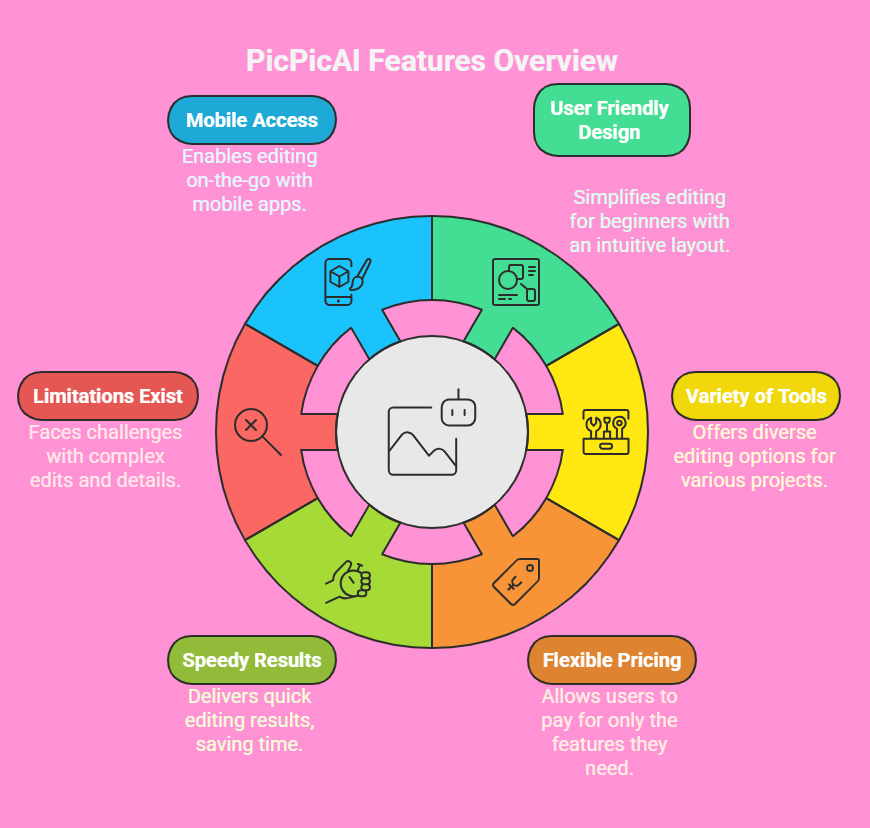
This section sums up the main points about PicPicAI:
- AI Powered Features: PicPicAI uses artificial intelligence to handle tasks like background removal and photo enhancement. It aims to make editing quick for all skill levels.
- User Friendly Design: The platform has a simple layout. Beginners can jump in without feeling lost.
- Variety of Tools: You get options like object removal, portrait generators, and image compression. These cater to both personal and professional projects.
- Flexible Pricing: PicPicAI offers a pay as you go model. Users buy credits to unlock premium features, which suits occasional editors.
- Speedy Results: Most edits take seconds. This saves time compared to traditional software.
- Limitations Exist: Some users report issues with complex edits. The AI may not always nail intricate details.
- Mobile Access: Apps are available on iOS and Android. You can edit on the go with ease.
These points give a snapshot of what to expect. Now, let’s dive into the details.
What Is PicPicAI?
PicPicAI is an online platform for editing photos. It uses artificial intelligence to simplify tasks. You can remove backgrounds, enhance images, or turn selfies into cartoons.
The tool targets people who want quick results without learning heavy software. Photographers, marketers, and casual users find it helpful. Its website boasts a clean design that welcomes beginners.
The platform runs on cloud technology. This means no downloads are needed. You upload a photo, pick a feature, and get results fast. Speed is a big selling point here.
Many users praise how it cuts editing time. However, some say the AI struggles with detailed work. For basic edits, it shines. Think social media posts or quick fixes for family photos.
Core Features of PicPicAI
PicPicAI packs several tools into one platform. Background removal is a standout. Upload an image, and the AI strips away the backdrop in seconds.
This works great for product shots or profile pictures. Another feature is photo enhancement. It boosts colors and sharpness to make dull images vibrant.
You also get object removal. Got an unwanted sign in your vacation photo? The AI can erase it. Portrait generators are fun too. They turn photos into sketches, cartoons, or AI art.
Image compression helps shrink file sizes without losing quality. This is handy for websites or emails. Each tool feels intuitive, though complex images may trip up the AI.
How Easy Is It to Use?
Ease of use matters in photo editors. PicPicAI delivers here. The interface is clean and uncluttered. You upload an image, choose a tool, and click. Results appear almost instantly. No steep learning curve exists, which suits beginners. Even kids could figure out the basics.
Navigation feels smooth. Buttons are clearly labeled, and prompts guide you. Mobile apps make it portable. Edit during a commute or at a coffee shop.
Some users mention occasional glitches, like slow uploads. These are rare but worth noting. Overall, the platform feels approachable for all ages and skill levels.
Who Can Benefit from PicPicAI?
PicPicAI serves a wide crowd. Photographers use it to prep images for clients quickly. Social media managers love it for creating eye catching posts. Marketers rely on it for ads or product visuals. Even casual users enjoy it for personal projects, like sprucing up selfies.
Small business owners find it valuable too. Need a clean product image for an online store? PicPicAI handles it. Students use it for presentations or art projects. The tool’s versatility makes it a fit for anyone wanting fast, decent edits without hiring a pro.
Pricing and Plans
PicPicAI uses a credit based system. You buy credits to access premium features. This pay as you go approach suits users who edit occasionally. No monthly subscriptions trap you. Credits start at a low price, making it budget friendly for hobbyists.
Each feature uses a set number of credits. For example, background removal might cost one credit per image. Heavy users can buy larger credit packs for savings. Transparency is a plus here. The website lists credit costs clearly. Some users wish for a flat rate option, but the flexibility works for most.
Performance and Speed
Speed is a core strength of PicPicAI. Most edits finish in seconds. Upload a photo, and the AI processes it fast. Background removal takes about five seconds. Enhancements are even quicker. This makes it ideal for bulk editing, like preparing multiple product photos.
The platform handles high resolution images well. No lag occurs during simple tasks. Complex edits, like removing tiny objects, may need a second try. Users report consistent performance across devices. Whether on a laptop or phone, PicPicAI keeps things snappy.
Quality of Results
Quality varies by task. Basic edits like background removal look clean and professional. The AI detects edges well in most cases. Photo enhancements add a nice polish without overdoing it. Cartoon effects are hit or miss. Some turn out stunning, while others feel generic.
For intricate work, results can falter. Removing objects in crowded scenes sometimes leaves smudges. Users suggest double checking outputs. Still, for quick fixes or social media content, the quality satisfies most. It’s not Photoshop, but it doesn’t aim to be.
Mobile App Experience
PicPicAI offers apps for iOS and Android. These bring editing to your phone. The app mirrors the website’s simplicity. You upload a photo, pick a tool, and save the result. Touch controls feel natural, and the layout fits smaller screens.
Some users report bugs, like crashes during uploads. Updates seem to fix these over time. Portability is the big win. Edit a selfie at a party or tweak a shot on a trip. The app syncs with your account, so credits carry over. It’s a solid option for mobile users.
Customer Support
Good support matters when tech acts up. PicPicAI offers email and chat help. Response times are decent, usually within a day. The team answers questions clearly, from billing to tool issues. A help center on the website covers common topics.
Some users want faster replies, especially for urgent edits. Live chat isn’t always instant. Still, the support feels reliable for a small platform. Community forums or tutorials are missing, which could add value. For now, the basics get the job done.
Pros of PicPicAI
PicPicAI has clear strengths. Speed tops the list. Edits happen fast, saving you time. The interface is simple, so anyone can start editing. Affordable pricing makes it accessible. No need to commit to a pricey plan.
The range of tools impresses too. From background removal to AI art, there’s something for everyone. Mobile apps add convenience. Results look good for casual or semi professional work. For quick edits on a budget, PicPicAI delivers.
Cons of PicPicAI
No tool is perfect. PicPicAI struggles with complex edits. Detailed object removal can leave artifacts. The AI sometimes misreads edges in busy images. Limited advanced features frustrate pro users who want more control.
The credit system confuses some. You need to track usage, which feels like a chore. Occasional bugs in the app annoy users. Support, while solid, isn’t lightning fast. If you need heavy editing, you might outgrow this platform.
How It Compares to Competitors
PicPicAI faces rivals like Canva and Fotor. Canva offers more design tools but less AI focus. Its photo editing feels basic compared to PicPicAI’s specialized features. Fotor matches closely with AI tools but has a steeper learning curve.
Price wise, PicPicAI’s credits beat Canva’s subscription for light users. Speed gives it an edge over Fotor for quick tasks. However, competitors offer templates and broader design options. PicPicAI wins for fast, AI driven edits but lags in versatility.
User Reviews and Feedback
Users share mixed thoughts. Many love the ease of use. Beginners call it a game changer for social media content. Speed gets constant praise. Photographers like how it cuts prep time for client work.
On the flip side, some dislike the credit system. They find it hard to predict costs. Others note AI errors in tricky edits, like group photos. App crashes pop up in reviews too. Overall, casual users lean positive, while pros want more polish.
Is PicPicAI Safe to Use?
Safety matters with online tools. PicPicAI uses secure connections for uploads. Your photos stay private unless you share them. Data policies are clear on the website. They don’t sell your info.
Some users worry about new platforms. PicPicAI’s recent launch raises questions about long term trust. No major breaches have been reported. Still, always download your edited files and avoid sensitive images. The platform feels safe for everyday use.
Tips for Getting the Best Results
Want great edits? Start with clear photos. High resolution images help the AI perform better. Avoid blurry shots. Simple backgrounds make removal tasks easier. For enhancements, tweak settings if available.
Check results before saving. Small errors can often be fixed with a retry. Use the mobile app for quick fixes but a computer for bigger projects. Experiment with portrait generators for fun effects. Practice makes perfect with any AI tool.
Is PicPicAI Worth It?
Deciding if PicPicAI fits depends on your needs. For casual users, it’s a steal. Fast edits and low costs make it fun and practical. Small businesses benefit from clean product shots without hiring pros. Beginners love the simplicity.
If you’re a pro needing precise control, look elsewhere. The AI can’t match advanced software for detailed work. Occasional editors get the most value. Weigh your editing frequency and goals. For many, PicPicAI’s ease and price make it worth a try.
FAQs
What devices support PicPicAI?
PicPicAI works on computers, iOS, and Android devices. The website runs on any browser. Apps are available for phones and tablets.
Do I need editing skills to use PicPicAI?
No skills are required. The platform is simple. Upload a photo, pick a tool, and get results. Beginners feel comfortable right away.
Can I use PicPicAI for free?
Some basic features are free. Premium tools require credits. You buy credits as needed, so no subscription is forced.
How secure are my photos on PicPicAI?
Photos are uploaded securely. The platform doesn’t share your images. Always save your edits and avoid uploading sensitive content.
Does PicPicAI offer refunds?
Refund policies depend on credit purchases. Check the website for details. Contact support if you hit issues with transactions.

I’m Liza, the founder and author of Liza AI Blog, where I share my passion for artificial intelligence through insightful guides and updates. I’m dedicated to making AI accessible to everyone, and I strive to create a community that’s both informed and engaged. Through my blog, I aim to promote a deeper understanding and appreciation of AI and its potential to shape our future. You can reach me at lizaaiblog@gmail.com or follow me on social media to stay updated on the latest AI news and trends.