How to Use Hicut AI: Your Simple Guide to Using the Face Swap AI Video App
Have you noticed how face swap apps are popping up everywhere? They’re super fun and let you play with photos and videos in cool ways.
If you’re looking for an app that’s easy to use and packed with awesome features, Hicut: Face Swap AI Video App is the one for you.
This app uses smart AI to swap faces, create hugging videos, turn pics into anime art, and so much more. Whether you love making funny videos or want to spice up your social media, Hicut is your new best friend.

Key Takeaways:
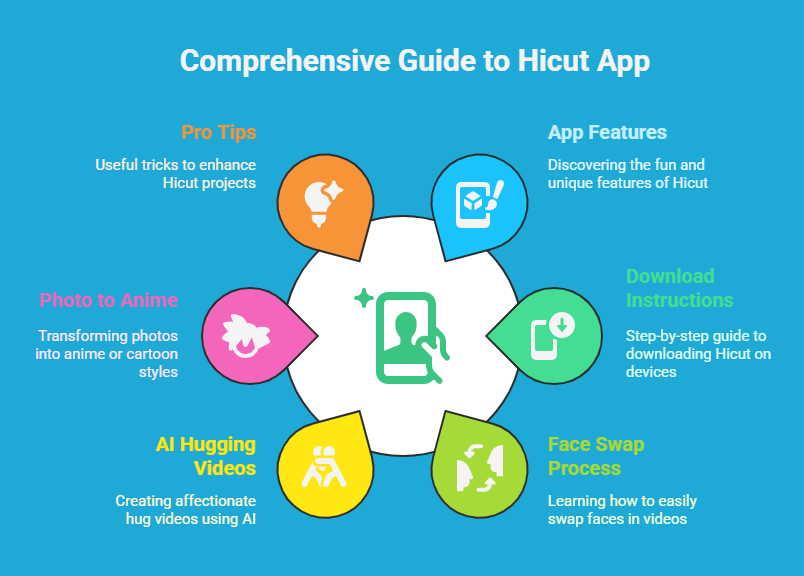
This section sums up the big wins you’ll get from this guide. Here’s what’s coming your way:
- What Hicut does: You’ll find out about this cool app and its fun features.
- How to get Hicut: We’ll give you easy steps to download it on iOS or Android.
- Making your first face swap: You’ll learn how to swap faces in a snap.
- Trying AI hugging videos: We’ll show you how to make sweet hug videos with AI.
- Turning pics into anime: You’ll see how to change photos into cartoon or anime styles.
- Picking up pro tips: You’ll get some neat tricks to make your Hicut projects shine.
- Fixing problems: We’ll help you solve any hiccups you might run into.
- Checking subscription costs: You’ll know what’s free and what’s paid in Hicut.
- Why Hicut rocks: We’ll tell you what makes this app better than others.
- Answers to your questions: You’ll find FAQs to clear up anything you’re wondering about.
These points will guide you through Hicut like a breeze. Keep reading to get all the details!
1. What Is Hicut: Face Swap AI Video App?
Hicut is an app that edits photos and videos with AI. It swaps faces, makes hugging videos, and turns pictures into anime or cartoons. Songzan created it, and it works on iOS and Android phones. People love it because it’s fun and simple to use.
You can use Hicut to make silly videos with your friends’ faces swapped. Or you can create a special hugging video with someone far away. The app has lots of tools to play with, so you can get creative. It’s great for anyone who likes making cool stuff for Instagram, TikTok, or just for laughs.
The app uses smart AI to do its magic. You don’t need to be a tech wizard to use it. Just pick a feature, add your photos, and let Hicut do the rest. Ready to try it? Let’s get it on your phone next!
2. How to Download and Install Hicut
Getting Hicut is easy. You can put it on your iPhone, iPad, or Android device. Here’s how to do it step by step.
For iOS Users
- Open the App Store on your device.
- Type “Hicut: Face Swap AI Video App” in the search bar.
- Find the app and tap it.
- Press “Get” to download it.
- Wait a bit, then open Hicut and sign up.
For Android Users
- Go to the Google Play Store on your phone.
- Search for “Hicut: Face Swap AI Video App.”
- Tap the app when you see it.
- Hit “Install” to get it.
- Open the app after it downloads and make an account.
Hicut needs iOS 12.0 or later for Apple stuff. On Android, it depends on your phone. Once it’s on your device, you’re ready to start playing. Let’s make your first face swap next!
3. Making Your First Face Swap with Hicut
Swapping faces is Hicut’s star feature. It’s super fun and easy. Here’s how you do it.
- Open Hicut on your phone.
- Look at the main screen and tap “Face Swap.”
- Pick two photos. One has the face you want to swap, and the other is your target.
- Wait a few seconds. The AI swaps the faces for you.
- Check out the result. If you like it, save it to your phone.
Want a tip? Use clear photos where the face looks straight ahead. Good light helps too. If the swap looks funny or weird, try different pics. You can swap your face with a celeb or a friend. It’s a blast to see the results. Share them with your crew and watch them laugh!
Next, we’ll check out something really special: AI hugging videos.
4. Using the AI Hugging Video Feature
Hicut can make videos where two people hug. It’s sweet and feels real, even if they’ve never met. Here’s how to try it.
- Open Hicut and pick “AI Hugging Video” from the menu.
- Add two photos. Each one needs a single person.
- Hit the button to make the video. The AI puts them in a hug.
- Watch the video when it’s done. Save it if you love it.
You can use pics of yourself, friends, or even family you miss. The AI makes it look like a real moment. Pro tip: Pick photos with people standing straight for the best hug. This feature is perfect for making heartfelt gifts or just having fun. Want to turn your pics into cartoons next? Keep reading!
5. Changing Photos into Anime and Cartoon Styles
Hicut turns your photos into anime or cartoon art. It’s quick and looks awesome. Here’s how you do it.
- Open Hicut and choose “Anime Photo Editor” or “Cartoon Filters.”
- Upload a photo you want to change.
- Pick a style. Hicut has tons, like anime or sketch looks.
- Let the AI do its thing and apply the style.
- Save your new pic and share it.
Here’s a fun idea: Try a selfie and see yourself as an anime hero. You can play with different styles until you find one you love. These pics are great for profile pics or showing off online. Up next, we’ll make game characters with Hicut!
6. Building Game Characters with Hicut
Hicut lets you make characters for games. It’s a cool way to get unique avatars. Here’s how.
- Open Hicut and tap “Game Character Maker.”
- Upload a photo of yourself or someone else.
- Choose a game style, like pixel art or cyberpunk.
- Let the AI turn your photo into a character.
- Save it and use it in games or as a pic.
This feature is fun for gamers. You can make a character that looks like you or go wild with funky styles. Try this: Use it for your gaming profile to stand out. Next, we’ll share some tricks to make Hicut even better!
7. Top Tips and Tricks for Hicut
Want to get better at Hicut? These tips will help you shine.
- Pick clear photos. High quality pics make the AI work better.
- Use good light. Bright photos help the AI see faces clearly.
- Try lots of styles. Mix filters and swaps for cool combos.
- Save your favorites. Keep the best ones to use later.
- Share online. Post your creations with #Hicut to join the fun.
Quick trick: Swap faces, then add a cartoon filter for double the fun. Play around and see what you can make. If something goes wrong, we’ve got fixes coming up next!
8. Fixing Common Hicut Problems
Sometimes Hicut acts up. Here’s how to fix it.
- Face swap fails? Use clearer photos with bright light.
- App crashes? Check if your phone can run it. Update Hicut too.
- Slow to finish? Close other apps to give Hicut more power.
- Can’t save? Make sure your phone has space. Delete stuff if it’s full.
If nothing works, email Hicut support at [email protected]. They’ll help you out. Next, we’ll look at what Hicut costs.
9. What You Pay for Hicut
Hicut has free and paid options. Here’s the scoop.
- Free version: You get basic face swaps and filters. Some limits apply.
- Premium version: Unlock everything, like hugging videos. It’s $7.99 a week, $10.99 a month, or $29.99 a year.
- How to cancel: Go to your phone settings and stop the subscription. Do it a day before it renews.
Prices might change where you live. Heads up: Try free first, then go premium if you love it. Next, we’ll see why Hicut beats other apps!
10. Why Hicut Beats Other Face Swap Apps
Lots of apps swap faces, but Hicut is special. Here’s why.
- Smart AI: It makes swaps and videos look real.
- Cool extras: Hugging videos are rare and fun.
- Easy to use: Anyone can figure it out fast.
- New stuff often: Updates bring fresh features.
Hicut gives you more than just face swaps. It’s a whole creative toolbox. Think about it: No other app mixes hugs and anime like this. Ready for some common questions? Check the FAQs next!
11. Why You Should Try Hicut Today
Hicut is a blast. It’s easy, fun, and full of creative tools. You can swap faces, make hugging videos, or turn pics into art. It’s perfect for social media or just messing around. The AI is smart, and the app keeps getting better.
Give it a shot! Download Hicut and start making cool stuff. You’ll love showing off what you create. Have fun!
12. Frequently Asked Questions
What phones work with Hicut?
Hicut runs on iOS 12.0 or later and most Android phones. It also works on some Macs with M1 chips.
Is Hicut free?
Yes, you can use basic stuff for free. Premium features need a paid plan.
How do I sign up?
Open Hicut and use your email, Google, or Facebook to make an account.
Can I use Hicut for work?
Yes, but read the app’s rules to be sure.
What if Hicut stops working?
Restart it or your phone. Email [email protected] if it’s still broken.

I’m Liza, the founder and author of Liza AI Blog, where I share my passion for artificial intelligence through insightful guides and updates. I’m dedicated to making AI accessible to everyone, and I strive to create a community that’s both informed and engaged. Through my blog, I aim to promote a deeper understanding and appreciation of AI and its potential to shape our future. You can reach me at lizaaiblog@gmail.com or follow me on social media to stay updated on the latest AI news and trends.